I to make you aware of a very destructive piece of malware/virus that is currently making the rounds on the Internet.
Above is a screen shot from the cryptolocker virus. Click on image for a larger view.
The name of this program is called “CRYPTOLOCKER” (is commonly referred to as CryptoLocker or Trojan:Win32/Crilock.A.) and it is considered a high security threat that does not yet have a resolution at this point in time. Therefore, making sure to maintain good backups of server and PC files is of the utmost importance, and prevention is the key to protecting the integrity of your data.
CryptoLocker viruses are aggressive computer infections that are
classified as malware in the ransomware category. The
CryptoLocker virus is dangerous for reasons concerning cyber crimes
relating to credit theft, extortion, and identity theft.
What It Does:
The CryptoLocker virus
blocks access to a Microsoft Windows PC or gives the user only limited
access to the computer system. Once installed on your computer, CryptoLocker encrypts your files, rendering them impossible to open unless you purchase a decryption key from the hijackers. In order to unlock the computer system and
restore a backup of encrypted files by obtaining a RSA key (etc) and
paying a fine (ransom) of $500, $1000, $1500, or more.
There is no guarantee that paying this fee to the hijackers will restore the integrity of your files. This particular form of ransomware is more egregious than others because even after it is eradicated from a workstation, the user’s files are still encrypted and cannot be unlocked. Once the ransomware is removed, clients lose the ability to pay the hijackers the fee to unlock the files.
Paying the fine will not remove this CryptoLocker lock-screen, nor assist you in retrieving lost data and files.
How does CryptoLocker get onto a computer?
This malware is contracted by clicking on email
attachments or through
social engineering methods.
CryptoLocker viruses can be contracted via freeware, shareware, codecs, suspicious advertisements, email spam, and torrents.
A
user reported to have contracted the CryptoLocker computer infection by
clicking a banner advertisements at the top of a legitimate website
stating that the viewer was the 1,000,000th visitor.
The way CryptoLocker spreads from one user’s workstation to a company’s entire network is also dangerous and a very real risk.
Once CryptoLocker has been downloaded and executed by the downloader,
it ensures its automatic start during boot by using the following
registry value:
- HKEY_CURRENT_USER\Software\Microsoft\Windows\CurrentVersion\Run
CryptoLocker = %appdata%\{CLSID}.exe (note that the file name consists of random hexadecimal numbers).
Once the system is infected, CryptoLocker tries to establish a
connection with its command and control server. The malware has two
possible ways to contact its master: First by contacting the hardcoded
IP 184.164.136.134, which has since been taken down.
Partial domain generation algorithm:
If that fails the malware will start generating seemingly random
domain names using a domain generation algorithm. This is done by
creating a seemingly random string of characters based on the current
system time and appending it to one of the following seven possible top
level domains:
- .com
- .net
- .biz
- .ru
- .org
- .co.uk
- .info
If you know the algorithm, you are able to predict which domain name the
malware is going to contact on any given day, thus allowing the
attacker to set up new domains in case old domains or the abovementioned
fixed IP is taken down. The following randomly generated domain names to be active:
- xeogrhxquuubt.com
- qaaepodedahnslq.org
Once a suitable command and control server has been found, the malware
will start to communicate through regular HTTP POST requests.
HTTP merely acts as a wrapper though. All actual data exchanged during
the communication between the bot and its command and control server is
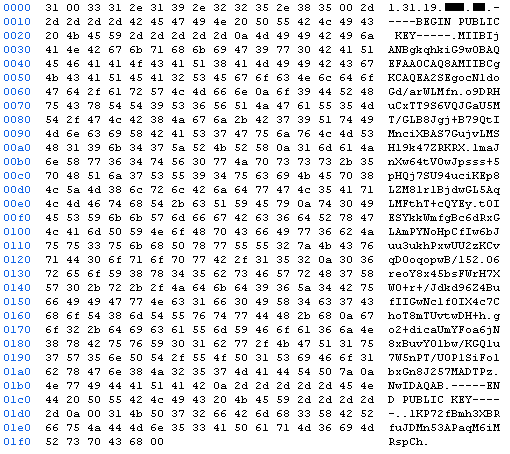
encrypted using RSA. The public key used for the encryption of the
communication is thereby embedded inside the malware file.
Encryption:
Using RSA
based encryption for the communication not only allows the attacker to
obfuscate the actual conversation between the malware and its server,
but also makes sure the malware is talking to the attacker’s server and
not a blackhole controlled by malware researchers.
Once the system has been successfully infected and a communication
channel to the command and control server has been established, the
malware will start the encryption process by requesting an encryption
key. A typical request includes the version of the malware, a numeric
id, the system’s network name, a group id as well as the language of the
system.
The command and control server replies with the victim’s IP address,
as well as a unique RSA public key, that will be used by the malware
during the further encryption process.
As soon as the infection specific RSA key has been obtained, the
malware will look for files to encrypt. It does so by searching through
all connected drives, including mapped network shares, for files
matching one of the following patterns:
*.odt, *.ods, *.odp, *.odm, *.odc, *.odb, *.doc, *.docx, *.docm,
*.wps, *.xls, *.xlsx, *.xlsm, *.xlsb, *.xlk, *.ppt, *.pptx,
*.pptm, *.mdb, *.accdb, *.pst, *.dwg, *.dxf, *.dxg, *.wpd,
*.rtf, *.wb2, *.mdf, *.dbf, *.psd, *.pdd, *.eps, *.ai, *.indd,
*.cdr, ????????.jpg, ????????.jpe, img_*.jpg, *.dng, *.3fr,
*.arw, *.srf, *.sr2, *.bay, *.crw, *.cr2, *.dcr, *.kdc, *.erf,
*.mef, *.mrw, *.nef, *.nrw, *.orf, *.raf, *.raw, *.rwl, *.rw2,
*.r3d, *.ptx, *.pef, *.srw, *.x3f, *.der, *.cer, *.crt, *.pem,
*.pfx, *.p12, *.p7b, *.p7c
For each file matching one of these patterns, the malware will
generate a new 256 bit AES key. This key will then be used to encrypt
the content of the file using the AES algorithm. The AES key is then
encrypted using the unique RSA public key obtained earlier. Both the RSA
encrypted AES key, as well as the AES encrypted file content together
with some additional header information are then written back to the
file.
Last but not least the malware will log the encryption of the
file within the HKEY_CURRENT_USER\Software\CryptoLocker\Files registry
key. This key is later used by the malware to present the list of
encrypted files to the user and to speed up decryption.
Based on the file types list, it is also clear that business users
are specifically targeted.
Crypto malware intended for home users will
target music, picture, and video files. This malware though primarily
targets file formats used by companies, completely ignoring common home
user file types.
Solution (Removal):
Windows/PC:
Unfortunately, once the encryption of the data is complete, decryption of the data
is not feasible. To obtain the file specific AES key to decrypt a file,
you need the private RSA key corresponding to the RSA public key
generated for the victim’s system by the command and control server.
However, this key never leaves the command and control server, putting
it out of reach of everyone except the attacker. The recommended
solution is to restore encrypted files from a backup.
Mac/OSX:
The FBI reported on their web site on 07/18/13—... a version of ransomware targets OS X Mac users. This new
version is not malware; it appears as a webpage that uses JavaScript to
load numerous iframes (browser windows) and requires victims to close
each iframe. The cyber criminals anticipate victims will pay the
requested ransom before realizing all iframes need to be closed.
The simplest way to remove the ransomware’s iframes is by clicking on
the Safari menu and choosing the “Reset Safari,” option, making sure
all check boxes are selected. You may also hold down the Shift key while
relaunching Safari, which will prevent Safari from reopening windows
and tabs from the previous session. Victims can also disable the
reopening feature across OS X from the General pane of System
Preferences.
Cost of Removal:
You can attempt to remove it yourself or you may want to opt for the recommendation: take
your PC to a qualified A+ Certified computer technician.
Unfortunately, there is no inexpensive way out of it. Expect to pay
approx $200-$300 to get it removed from your system.
What you do NOT
want to do is pay the scammers their ransom. They will take your money,
and you will still be left with a locked PC.
What is Ransomware?
What where? What is Ransomware? Ransomware, correctly called
cryptoviral extortion, is an insidious type of MalWare that, as it’s
name implies, holds your computer hostage by locking it up, preventing
you from using it, stopping you from accessing your data, or any other
information on your system, until you pay a “ransom”.
The Ransomware usually displays an official looking screen, claiming
to be the FBI or some other law enforcement agency, stating that you
have child pornography or other illegal content on your system. Your
system is locked and disabled until you pay a “fine” to the supposed law
enforcement agency, and if you don’t, it threatens you with jail time.
All of this, of course, is fake. Nothing more than a scam. According to Trend Micro, the first cases of orignal ransomware infection were seen between the years 2005 – 2006 in Russia.
There are actually THREE variants of “ransomware”. According to Microsoft:
- Lockscreen ransomware, which displays a full-screen image or webpage
that prevents you from accessing anything in your computer, and
- Encryption ransomware, which encrypts your files with a password, preventing you from opening them.
- Black screen version, ($300 FBI Virus),
among many other names. Apparently, you see nothing but a black screen,
and streaming audio plays, stating your system is locked by the FBI,
etc.
Payment:
The virus asks for payment that can be transfered over the Internet,
is secure, and provides some protection for the criminals. These forms
of payment include:
MoneyPak,
Bitcoin,
Web Money, and
Liberty Reserve.
Liberty Reserve has been shut down as of June 2013.
The Department of Justice has shut down Liberty Reserve after an 18-month investigation -- online
payment service provider Liberty Reserve in Costa Rica. Prosecutors have
accused the service of laundering $6 billion for 1 million users worldwide, and serving as the bank of choice for the black market, including hackers.
How to protect yourself:
To prevent infection,
adhere to the following rules:
- BACK UP YOUR COMPUTER or your files!!!
- Do not click on
attachments in emails from someone you don’t know or companies from
which you haven’t expressed interest in receiving product information.
- Do not click on links, advertisements or pictures that pop up on your screen when visiting other websites.
- Do not respond to unsolicited emails.
- Do not engage in social media games or click on links that appear on social media platforms.
- Do not disable security settings, such as antivirus, firewall, filtering, and site monitoring programs
- Consider switching to a different OS (operating system) such as OSX, Linux, or Chrome OS (which is built upon the open source project called Chromium OS).
Also, refer to "
Free virus/malware/spyware protection for Windows" in my previous post:
Open-Source Software.
October is National Cyber Security Awareness Month
From the FBI's website: October marks the 10th anniversary of
National Cyber Security Awareness Month. Established by presidential
directive in 2004, the initiative—administered by the Department of
Homeland Security—raises cyber security awareness across the nation by
engaging and educating public and private sector partners through a
variety of events and programs. The ultimate goal is to protect the
country from cyber incidents and respond to them effectively if they do
occur.
Note:
The FBI's website is a good source for cyber safety information and to verify information.
My Comments:
99% of the time I can tell when an email, an attachment, a file, a download etc. contains a virus. That is because I understand "
social engineering." I have never seen my most of my techniques anywhere, so I will list them here. Here is how I can tell:
- I deal with brokers on a daily basis. What makes them valuable is "who they know." If I get an email with multiple recipients from a broker (or someone who does not me knowing the people they know), where i can see all the recipients, and some recipients I recognize and some I don't, chances are the sender has a virus sending infected emails from his address book.
- If I get an email with an attachment with a weird name, a "too good to be true" name, or a file extension I don't recognize, chances are it's a virus.
- I work on a computer all day, so I hate to do anything online (pay bills, banking, utilities, etc.). If I see an email from a bank, especially if it is not my bank, chances are it's a virus.
- If I download a file and the file extension doesn't match what I thought I downloaded, chances are it's a virus.
- If you visit a web page and a file automatically downloads, chances are it's a virus.
- If you understand email headers, you can determine where an email is being sent from and if it is safe.
- If you understand URLs, you can determine where an email is being sent from, if the web site you are visiting is who it claims to be, and if the domain is safe.
- There is a very good URL tutorial here:
- http://www.bankofamerica.russianmaffia.ru IS NOT part of the (real) Bank of America web site just because it says "Bank of America."
- If you get an email about about your web site, Facebook account, etc., chances are it's a virus.
Thank you for reading.





 Posts